Data Quality Gate
Configurable Snowflake data quality gate that runs in CI/CD, executes JSON-defined checks in parallel, and returns deterministic exit codes to fail pipelines on quality degradation.
Overview
Solves the gap where ETL/ELT jobs succeed operationally but still produce stale, duplicated, or invalid data by enforcing quality expectations as executable policy.
Business Purpose
Codify quality contracts, execute them on every deployment or schedule, and block releases when quality controls fail rather than allowing silent data regressions.
Technology Stack
Architecture Model
Layered solution with strict dependency direction: CLI composes host and dependencies, Core contains all domain logic, and Snowflake is an adapter implementing Core connection interfaces.
Core Capabilities
- Configuration-driven checks in JSON with no code changes required for rule updates.
- Pluggable check engine with interface-based runners resolved through dependency injection.
- Concurrent check execution bounded by SemaphoreSlim concurrency controls.
- Built-in checks: freshness, multi-column uniqueness, custom SQL, schema, volume spike, referential integrity, and row count.
- Multi-format report writers for HTML, JSON, and CSV output.
- Notification channels for Email, Pushover, and Microsoft Teams with trigger policies.
- Connection resilience with exponential-backoff retry for transient Snowflake failures.
- SQL guardrails that block destructive statements in custom queries and filters.
- Tag-based execution filters and dry-run configuration validation mode.
- Table profiling and suggested-check generation for faster rule bootstrap.
Execution Lifecycle
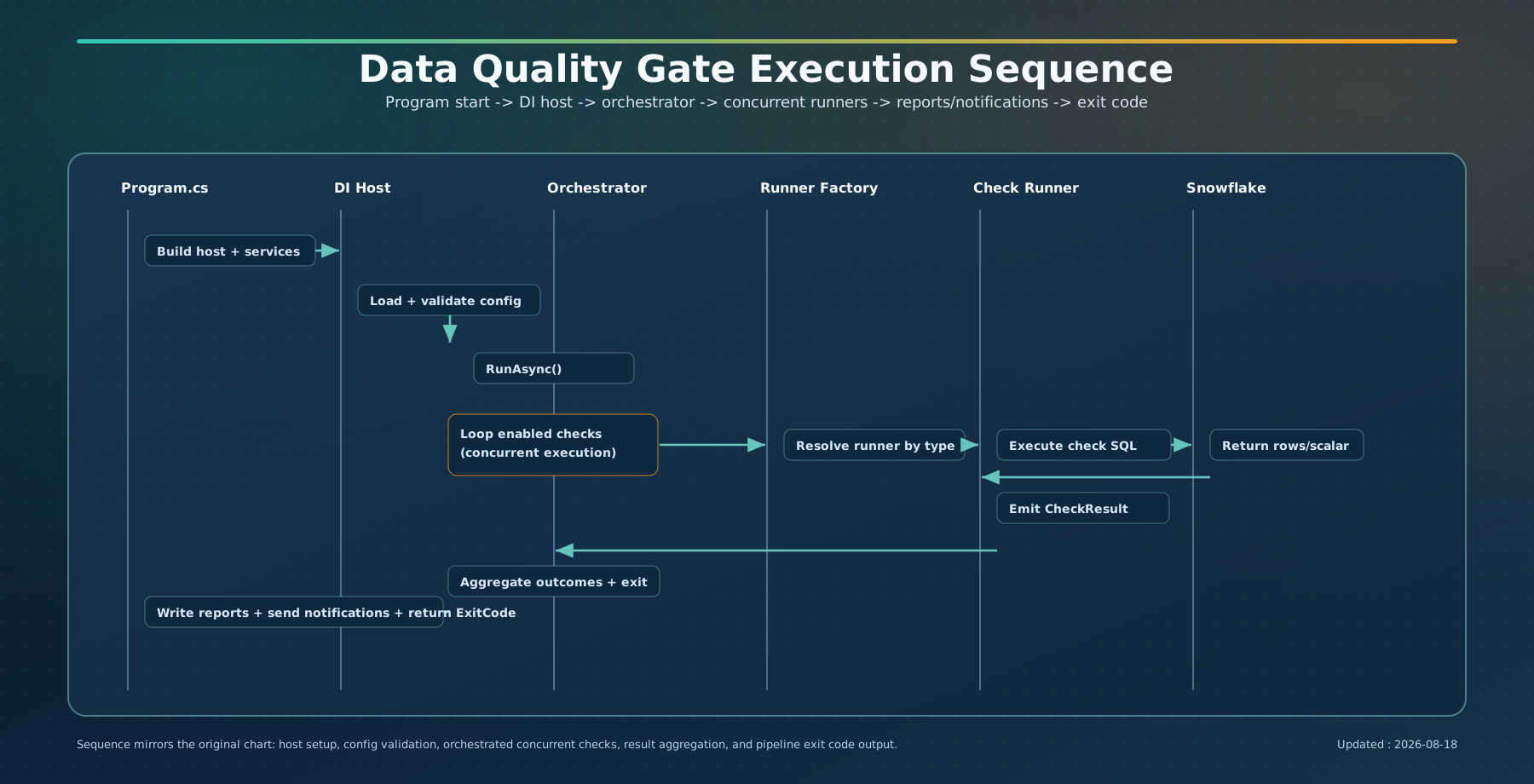
- Load and deserialize all check JSON files from the configured config directory.
- Validate each configuration object and fail with configuration exit code when invalid.
- Filter by enabled state and optional tags, then execute checks concurrently.
- Resolve check runner implementations via keyed factory and execute Snowflake queries.
- Convert raw execution results into pass, warn, fail, or error outcomes.
- Write selected report formats and dispatch configured notification channels.
- Return pipeline-facing exit code to gate CI/CD continuation or failure.
Project Structure
src/
  DataQuality.Cli/         -- CLI entry point, host composition, commands
  DataQuality.Core/        -- check configs, runners, orchestration, reporting, notifications
  DataQuality.Snowflake/   -- Snowflake connection adapter and resilience
tests/
  DataQuality.Tests/       -- xUnit, NSubstitute, FluentAssertions
This separation keeps core quality logic independent from database-specific and host-specific concerns, enabling adapter swaps and easier testing.
CLI and Pipeline Integration
Primary commands:
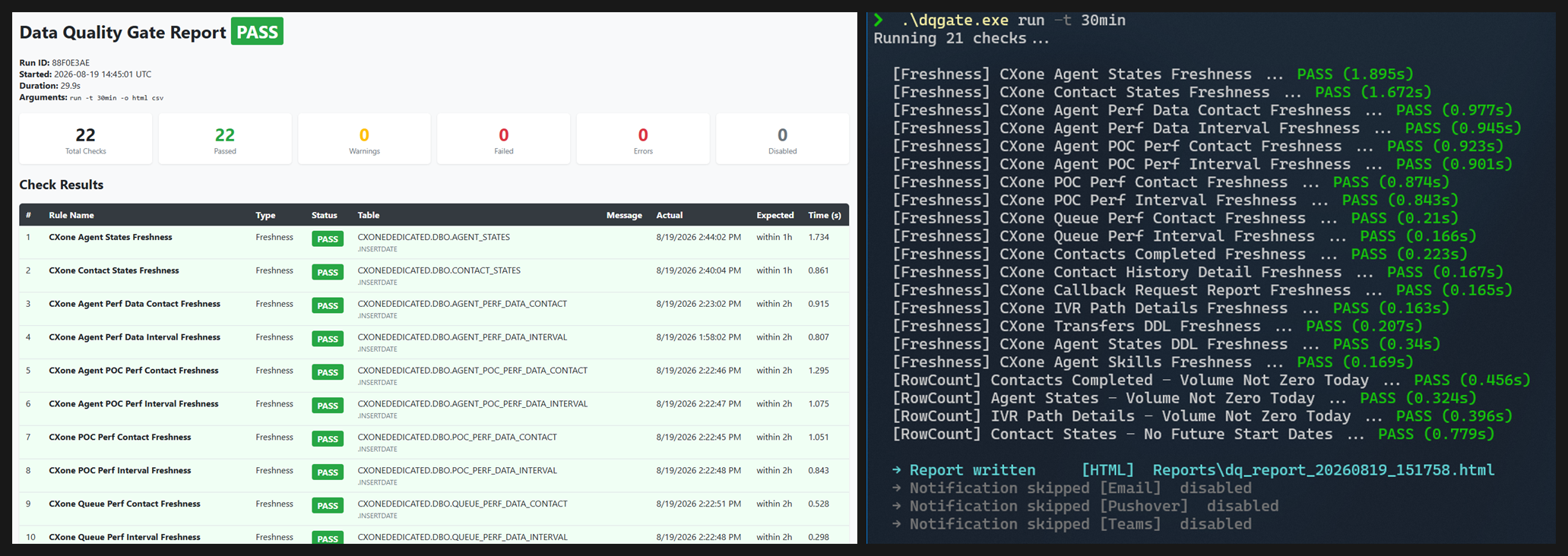
- dqgate run for execution and report generation.
- dqgate list-rules for configuration introspection.
- dqgate profile for table or schema statistics and suggested checks.
dotnet run --project src/DataQuality.Cli -- run --dry-run
dotnet run --project src/DataQuality.Cli -- run --output html json --tags daily sales
dotnet run --project src/DataQuality.Cli -- list-rules
dotnet run --project src/DataQuality.Cli -- profile Snowflake SALES.PUBLIC.ORDERS
Exit Codes and Gate Behavior
| Code | Meaning |
|---|---|
| 0 | Success (all checks passed; warnings do not block) |
| 1 | ValidationError (one or more checks failed) |
| 2 | ConfigurationError (invalid or unparseable config) |
| 3 | ExecutionError (unhandled runtime exception) |
| 4 | Cancelled (execution cancelled by token) |
Operational Notes
- Connections are referenced by name in checks and resolved from app settings or environment variables.
- Secrets are externalized through environment variables, user secrets, or encrypted secret store files.
- Custom SQL and row-count filters are protected by statement guard validation against destructive keywords.
- Tag filters support targeted validation slices without duplicating configuration sets.